
You know that feeling all too well – the moment after a meeting wraps up and you’re left wondering what actually got agreed on?
You’ve shut your laptop, and your notes are a mess of bullet points – there’s a deadline in there somewhere, I’m pretty sure, but I’m not 100% on the date. And “next steps” got tossed around, but by now it’s all just a jumbled memory. And to top it all off, I’m not even sure if I said I’d do something or if someone else volunteered.
It’s not that you tuned out or weren’t paying attention – although that can be a problem…
It’s because you were trying to do too many things at once. Listen, respond, think ahead, and scribble down notes – anyone would get a little overwhelmed trying to do it all simultaneously.
This is precisely the issue that tools like Fathom and Tactiq are aimed at fixing.
They sit in on your virtual meetings, snagging the details and then summarising everything afterwards – no more frantic typing and getting left behind. You can actually focus on the conversation and be present for the first time in ages.
But here’s the interesting bit – even though they’re solving the same problem, they go about it in pretty different ways. And it all depends on how you conduct your meetings – one will probably feel a lot more natural to you than the other.
This guide is going to take a look at the ins and outs of both tools in a no-nonsense way. No geek speak required, no complicated jargon. Just a simple comparison, including current pricing & features – so you can pick the one that feels right and start using it with confidence.
First, What Are These Tools — And Why Should You Care?
Consider how some people bring a colleague to a meeting, with their task being just to take notes? An AI meeting assistant is that colleague, except it never gets distracted, never misses anything, and sends you a clean summary the moment the call ends.
In practical terms, the tool joins your Zoom, Google Meet, or Microsoft Teams call, listens to everything that’s said, and turns it into a written transcript. Most tools then pull out the key points, decisions, and action items — basically the stuff you actually need to remember.
You don’t install anything complicated. You don’t need to understand how AI works. You just connect it to your calendar, and it shows up at your meetings automatically.
Fathom vs Tactiq — How They’re Different
How Each Tool Works During a Meeting
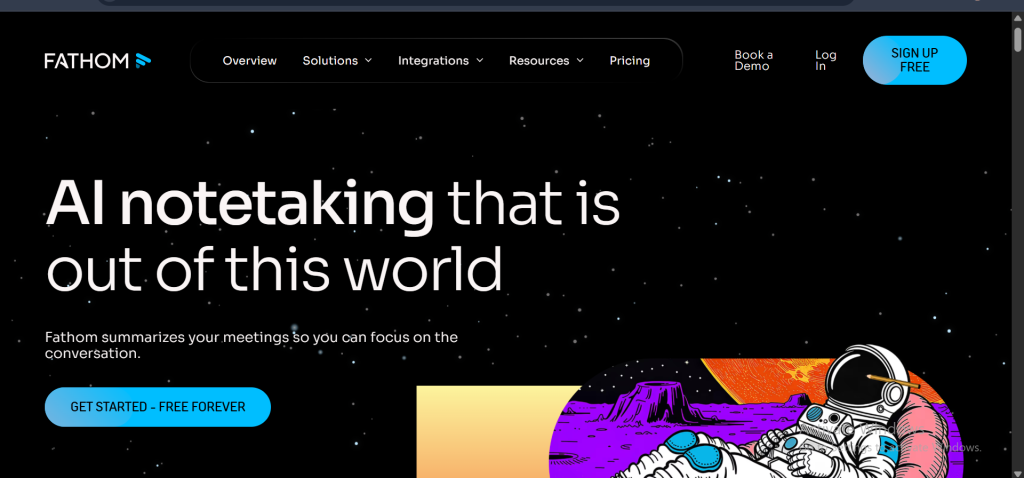
With Fathom, you barely have to do anything. Once it’s connected to your calendar, it joins calls automatically like a quiet guest in the room. It records the audio, tracks who said what, and processes everything after the meeting ends. Your only job is to have the conversation. If you prefer, you can also use the optional Highlight button to mark key moments live.
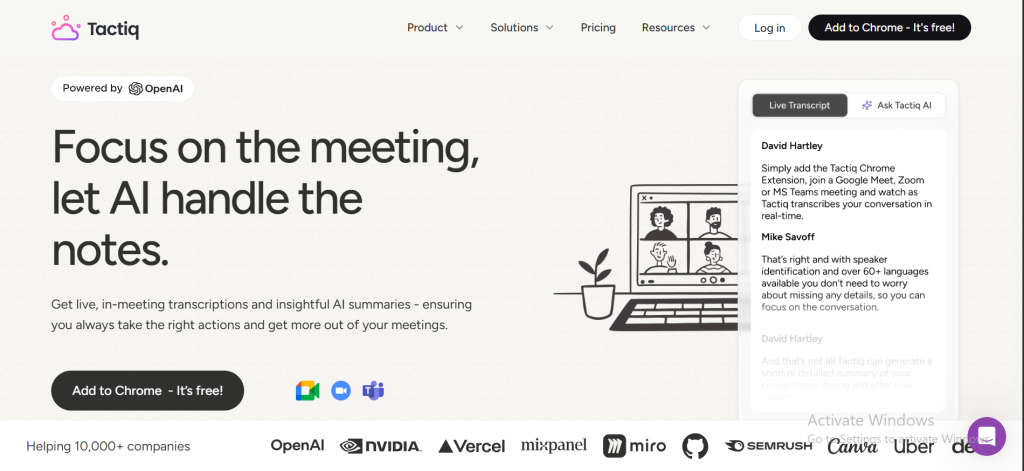
With Tactiq, you’re a little more hands-on — in a good way if that’s your style. A sidebar appears during your call showing a live, running transcript. When someone says something important, you can click to highlight it on the spot. It’s like being able to dog-ear a page while someone’s still reading it to you.
Neither approach is better in an absolute sense. It really comes down to one question: do you want to forget the tool exists entirely, or do you want to stay lightly in control of what gets saved?
What You Get After the Meeting
After a call, Fathom gives you a full transcript, a short summary of what was discussed, and a list of action items — the tasks that came up and who’s responsible for them. It also timestamps everything, so if you want to go back and hear exactly how a decision was made, you can jump straight to that moment.
Tactiq gives you a transcript as well, along with the highlights you marked during the call. You can then use its built-in AI to generate a summary, pull out action items, or even draft a follow-up email — all from the same screen.
Here’s a quick side-by-side to make it concrete:
| Feature | Fathom | Tactiq |
| Live transcript during call | No | Yes |
| Auto summary after call | Yes (automatic) | Yes (with one click) |
| Action item detection | Yes | Yes |
| Highlight moments in real time | Yes (via Highlight button) | Yes (via transcript sidebar) |
| Works with Zoom | Yes | Yes |
| Works with Google Meet | Yes | Yes |
| Works with Teams | Yes | Yes |
| Mobile app | No | Yes (for transcribing) |
| Free plan available | Yes | Yes |
How Easy Is Each One to Set Up?
Both tools are beginner-friendly, but Fathom edges ahead here.
Setting up Fathom takes about three steps: create an account, connect it to your Google or Outlook calendar, and grant it permission to join your calls. That’s it. The next time you have a meeting scheduled, Fathom shows up on its own. No browser extension needed.
Tactiq requires you to install a Chrome browser extension, then connect your meeting platform. It’s still simple — most people get it running in under five minutes — but it does require Chrome. So you’ll need to be using Google Chrome or another compatible Chromium-based browser.
Let’s Talk About Price — What Do You Actually Get for Free?
Fathom’s Pricing (Updated February 2026)
Fathom’s free plan lets you record unlimited meetings and access your transcripts at no cost. However — and this is important — Advanced AI-generated summaries are limited on the free plan. After that, you get a basic chronological summary instead of the smart, cleaned-up version. It’s still useful, but it’s a meaningful difference from fully unlimited.
When you’re ready to upgrade, paid plans start at $15 per user per month (billed annually) for the Premium tier. The Team Edition runs $19 per user per month, and Team Edition Pro is $29 per user per month. For most solo users or freelancers, the free plan or the $15 Premium plan will cover everything you need.
Tactiq’s Pricing (Updated February 2026)
Tactiq’s free plan is more limited than it might first appear. As of February 2026, you get 10 meeting transcripts per month and 5 AI credits per month. The AI credits are what power the summaries, action items, and follow-up email drafts — so once those 5 credits are used up, you’ll need to upgrade or wait until next month.
The Pro plan costs $12 per month, or $8 per month if you pay annually. There’s also a Professional plan at $20 per month with more advanced features. For individuals who want regular AI summaries without hitting limits, the $8/month annual plan is a reasonable and affordable option.
Which One Gives You More for Free?
Fathom wins on free recordings — there’s no cap on how many meetings you can capture. But both tools cap the AI features on their free tiers. Fathom gives you 5 AI summaries per month; Tactiq gives you 5 AI credits and 10 transcripts.
If you have more than 5 meetings a month where you need a smart summary (and most people do), you’ll hit the free tier limits on either tool fairly quickly. The good news: Tactiq’s paid plan at $8/month is one of the more affordable options out there if you want to go unlimited.
For Beginners — Which Tool Should You Start With?
If You’ve Never Used an AI Tool Before…
Start with Fathom.
Here’s why: it removes every decision from the process. You set it up once, and from that point on it just works in the background. There’s no learning curve, no interface to figure out during a meeting, and no risk of getting distracted trying to manage the tool while someone’s talking.
Your first week with Fathom will feel like this: you have a call, you actually pay attention during it, and then afterward you get a clean summary. That’s the whole experience. It’s the gentlest possible introduction to AI tools.
Tactiq is a great tool, but the live-transcript sidebar does require a small mental adjustment. Once you’re used to it, it’s powerful. But if you’ve never used anything like this before, it’s one more thing competing for your attention during the meeting.
Common Worries First-Timers Have (And the Truth)
“Will people on my call know it’s being recorded?” With Fathom, yes — it joins as a visible bot participant, so others can see it in the meeting room. Most people are used to this by now, but it’s good practice to give a quick heads-up. Tactiq works through your own browser, so there’s no visible bot — but recording laws still apply regardless of which tool you use. In most US states, at least one party on the call must consent to recording. As the person using the tool, that’s you — but a quick mention at the start of the call is always the right move.
“Is my data safe?” Both tools are used by businesses that handle sensitive conversations, so they take privacy seriously. Neither company states that it sells user conversation data. That said, if you work with highly confidential information, it’s worth checking each tool’s privacy page or looping in your company’s IT team before getting started.
“What if it mishears something?” It will — occasionally. Both tools are accurate, but not perfect. Names, industry jargon, and heavy accents can trip them up. Treat transcripts as a very good rough draft rather than a word-for-word record. In practice, the summaries and action items are accurate enough to be genuinely useful, even when the raw transcript has the odd error.
“Can I use this on my phone?” Currently, no — neither Fathom nor Tactiq has a dedicated mobile app for live. Both are desktop/laptop tools. Even though Tactiq does have a mobile app now, it is for transcribing in-person conversations or voice memos. If you primarily join meetings from a mobile device, this is a real limitation to keep in mind.
Our Recommendation — Which Tool Is Right for You?
Choose Fathom If…
You want to show up to meetings and just talk. Fathom is ideal if you’re a freelancer, consultant, solo professional, or remote worker who has a lot of one-on-one or small group calls and wants clean summaries without lifting a finger. It’s also the better pick if you’ve never used an AI tool before and want the simplest possible starting point. The free plan’s 5 AI summaries per month is enough to test it properly before deciding whether to upgrade.
Choose Tactiq If…
You like being in control of what gets captured. Tactiq works well for people who have fast-moving team meetings with lots of decisions, and who want to highlight key moments as they happen rather than hunting through a summary later. It’s also a better fit if you’re already using tools like Notion, Google Docs, or Slack, since Tactiq integrates smoothly with those. And if budget matters, Tactiq’s paid plan at $8/month (annual) is the more affordable option for regular use.
Still Not Sure? Here’s the One-Line Test
Ask yourself this: “During a meeting, do I want to completely forget the tool is there — or do I want to stay lightly involved in what gets saved?”
If you want to forget it exists: Fathom.
If you want a little control: Tactiq.
Frequently Asked Questions
Is Fathom or Tactiq better for Zoom calls?
Both work well with Zoom. Fathom joins as a bot participant and handles everything automatically. Tactiq works through your Chrome browser and shows a live transcript in a sidebar. If you use Zoom heavily and want zero effort, Fathom is the smoother experience. If you want to see captions in real time, Tactiq has the edge.
Can I use either tool for free without a credit card?
Yes, both have free plans that don’t require a credit card to start. Fathom’s free plan gives you unlimited recordings but caps AI summaries at 5 per month. Tactiq’s free plan caps you at 10 transcripts and 5 AI credits per month. Both are generous enough to get a real feel for the tool before deciding whether to upgrade.
Will the other people on my call know it’s being recorded?
With Fathom, they’ll see a bot in the meeting room. With Tactiq, there’s no visible bot, but you’re still responsible for letting people know the meeting is being recorded. In most US states, at least one person on the call needs to consent — and as the person using the tool, that’s you. For calls with people in other states or countries, it’s safer to just mention it upfront.
Do I need to download anything to get started?
Fathom doesn’t require a browser extension — you connect it to your calendar, and it handles the rest. Tactiq requires a Chrome extension, so you’ll need to be using Google Chrome as your browser. If you’re not using Chrome or a compatible browser, Fathom may be the easier option between the two.
Which tool is better for small business owners?
Fathom is the stronger pick for small business owners who want to focus on client relationships without worrying about note-taking. If you have a team and want everyone to access and share meeting notes quickly, Tactiq’s collaboration features and lower-cost paid plan make it worth exploring.
What happens to my meeting recordings — are they private?
Both tools store your data on secure servers and give you control over your recordings — you can delete them at any time. Neither company sells your conversation data. If privacy is a top priority, check the privacy pages on each tool’s website directly, as policies can be updated.
So, Which One Should You Go With?
If you’ve made it this far and you’re still on the fence, here’s the honest bottom line.
Fathom is the easier starting point for most people. Setup takes about five minutes, it runs quietly in the background, and the free plan — while limited to 5 AI summaries per month — is enough to put it through its paces. It’s the kind of tool that makes you wonder why you ever took meeting notes by hand.
Tactiq is worth it if you like a little more involvement during your calls, you’re working with a team, or you want a more affordable paid plan at $8/month (annual billing) once you’re ready to go unlimited.
Either way — try the free version first. You don’t need to commit to anything. Most people know within one or two meetings which one feels right for them.
ALSO SEE: 5 Best Free AI Tools for PowerPoint Presentations

Richard Anthony is a veteran tech writer focused on the practical side of AI. He reviews software, solves technical problems, and writes guides to help you navigate the fast-moving world of artificial intelligence. His goal is to provide clear, actionable advice without the jargon.
